Tcl Console
The Efinity software uses a Tcl interpreter to process SDC constraints and to support timing analysis. The Tcl Console is an interactive shell that you use to execute Tcl commands.
To explore timing, you use a combination of the Tcl Console, the Timing Browser, and the Floorplan Editor. In the Tcl Console, you enter commands to query timing reports. The software reports specific timing paths based on their slack or propagation delay. For example:
- Use the
report_pathcommand to query propagation delays between the specified end points. - Use the
report_timingcommand to query the slack between the specified end points.
Specify the details of the timing path that you want to analyze. You can specify the starting and ending points explicitly or leave them as implicit. The software analyzes the timing path based on the arguments provided to the constraints.
Open the Tcl Console in the Efinity GUI by:
- Clicking the Show/Hide Tcl Command Console icons in the main toolbar.
- Choosing .
- Pressing the Ctrl + T keys.
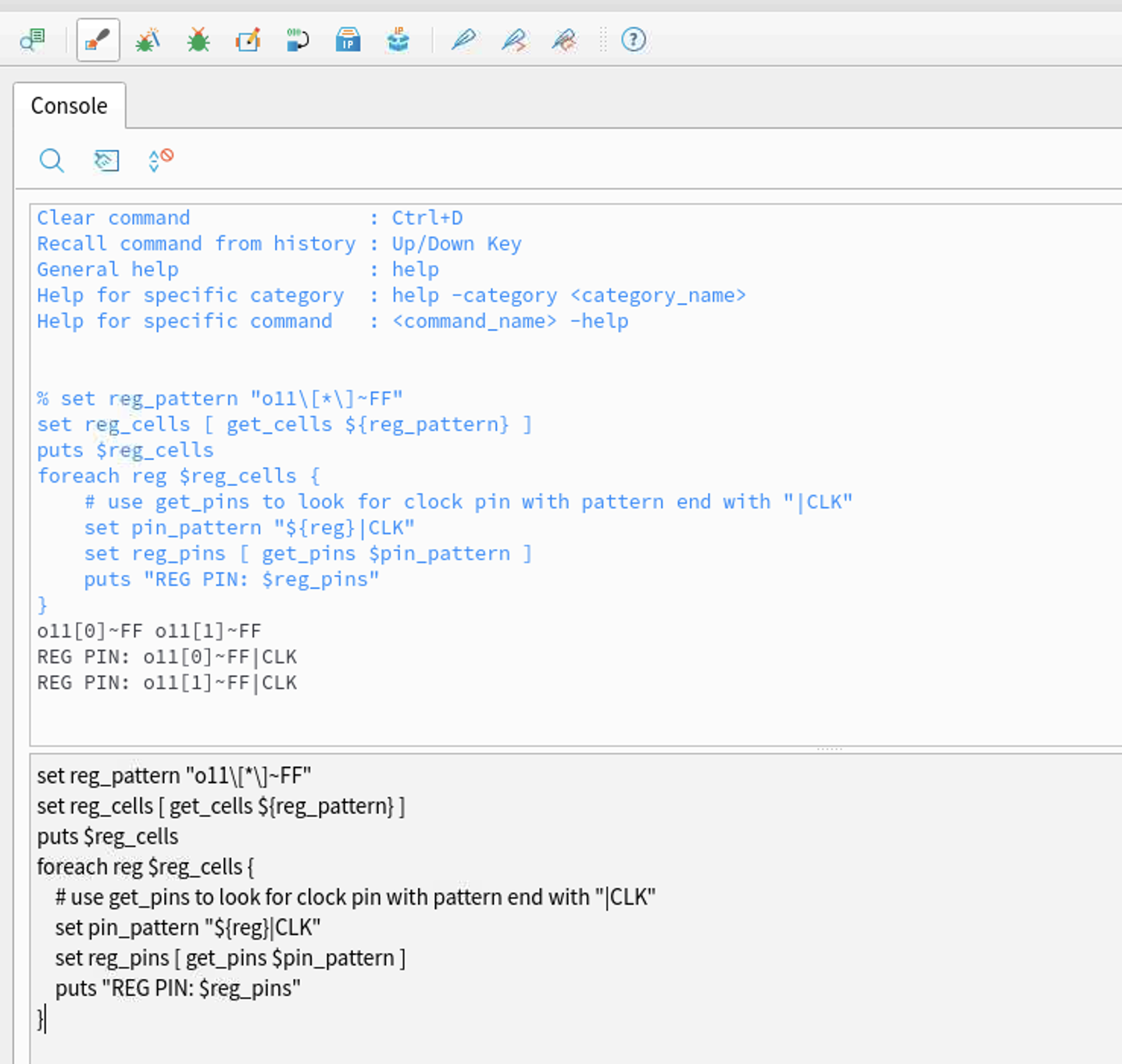
In the Efinity software v2024.1 and higher you can use multi-line commands in the Tcl Console. Press Shift + Enter to insert a new line (pressing Enter executes the command). You can also copy and paste multi-line commands into the console.
The Tcl Console has an auto-correct feature. In the Efinity software v2024.1 and higher, this feature is turned off by default. You can turn it on in the Preferences dialog box ().