Export Project Files as OOC Archive
You can export design files and IP cores as an OOC archive. Right-click the Design category or the IP core name in the Project pane and choose Export OOC from the pop-up menu.
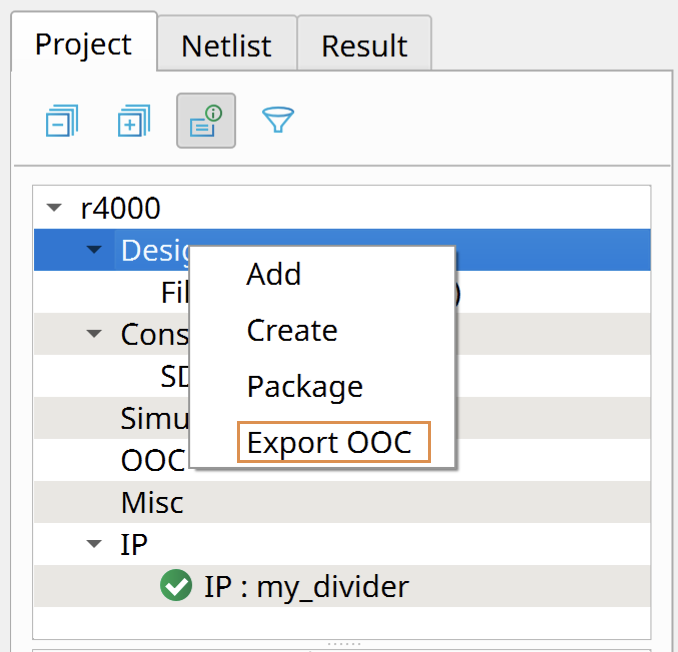
The software synthesizes the design using the default synthesis options, and creates the
following files:
- <module name>.ooc—Archive file that contains the synthesized design and related files. Use this file to import the synthesized design into another project.
- <module name>.ooc.vdb—Synthesized design or IP file.
- <module name>.stub.v—Defines the boundaries of the synthesized circuit. The software uses this file when synthesizing your top-level design that includes the OOC archive.
The software saves these files in the:
- outflow directory for design files
- <IP core>/outflow directory for IP cores
Important: To be exported as an OOC archive, your design cannot have parameters in the top
module.