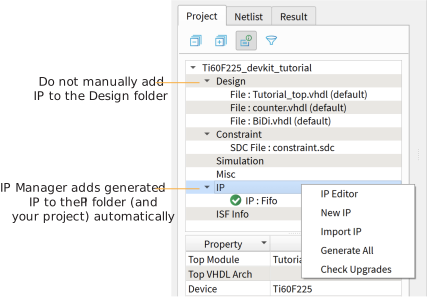
The IP Manager creates these template files in the
<project>/ip/<module name> directory:
<module name>tmpl.v is the Verilog HDL
module.
<module name>tmpl.vhd is the VHDL component
declaration and instantiation template.
To use the IP, copy and paste the code from the template file into your design and
update the signal names to instantiate the IP.
Important: When you generate the IP, the software automatically adds the
module file (<module name>.v) to your project and
lists it in the IP folder in the Project pane. Do not add the
<module name>.v file manually (for example, by
adding it using the Project Editor); otherwise the Efinity® software will issue errors
during compilation.