Browsing for Pins
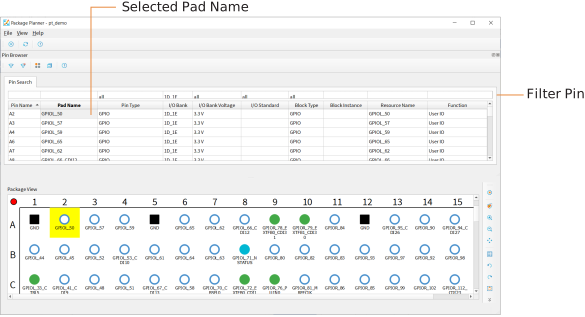
The Package Planner has a Pin Browser, which has a table view similar to the Resource Assigner. You can filter pins and then select them in the Pin Browser. The selected pin is highlighted in the pinout.
In v2025.2 and higher, you can view multiple selected pins in the Pin Browser. Press the Control key and click the pins, then open the Pin Browser. Similarly, you can select multiple pins in the Pin Browser to highlight them in the package view. Shift-click to select pins in consecutive cells, Control-click to select ones that are not.