Store Forward Mode
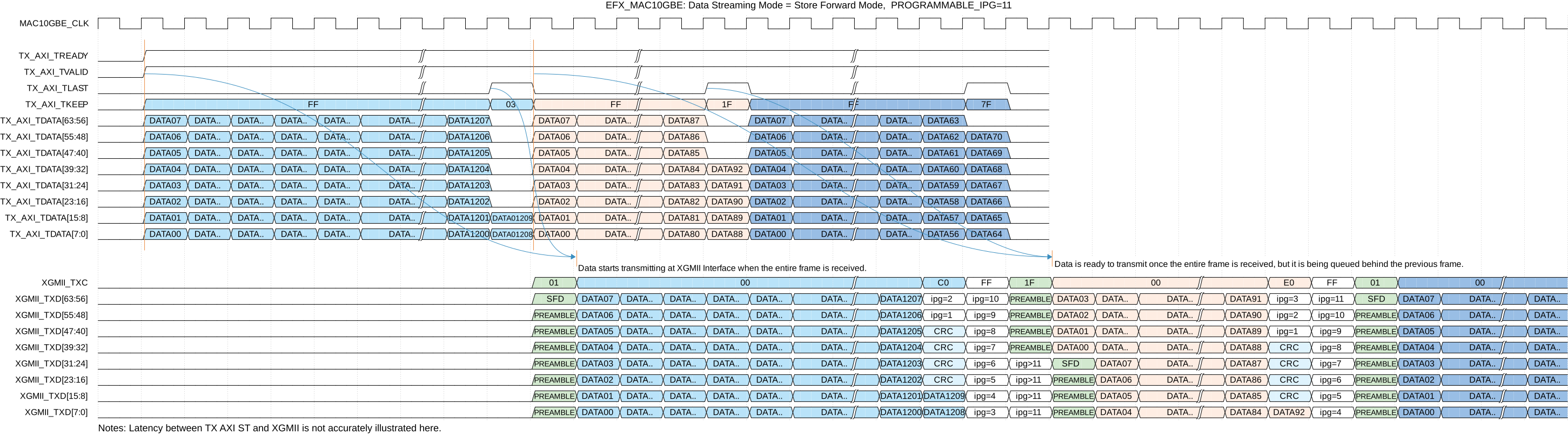
During Store Forward mode, the core starts transmitting the Ethernet packet when the entire packet is received. Figure 1 illustrates the Store Forward operation of 3 Ethernet packets.
During Store Forward mode, you need to configure the
TXFIFO_DEPTH to store the full TX packet. The depth of TXFIFO must
be large enough to store the maximum length of the TX Frames intended for transfer. The
TXFIFO_DEPTH setting is also dependent on the VLAN tag enablement,
since there are additional bytes for the VLAN tag. The minimum
TXFIFO_DEPTH is 8, which is to accommodate the
minimum payload size.


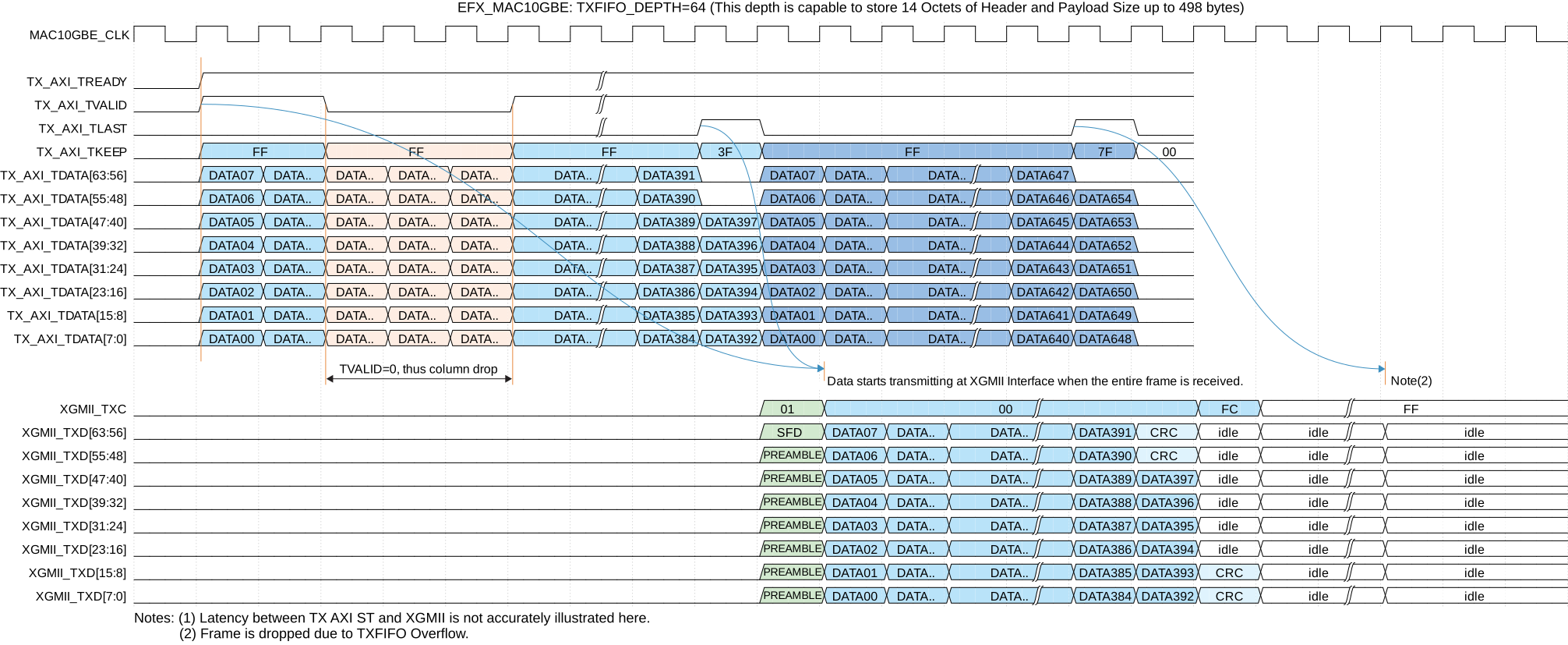
The storage mechanism of TXFIFO is based on the frame entirety, as shown by Figure 2. When
TX_AXI_VALID = 1, TXFIFO stores the corresponding
TX_AXI_TLAST, TX_AXI_TKEEP, and
TX_AXI_TDATA. When TX_AXI_VALID =
0, TXFIFO stops storing, but still waits for the full frame before
transmitting.
In the event of TXFIFO overflow, where TXFIFO_DEPTH is insufficient to
store the entire full frame with maximum frame size, the entire frame is scrapped.
Once the entire frame is stored, TXFIFO starts transmitting the Ethernet frame at the
XGMII TX interface, subject to the priority as described in XGMII TX. However, in the event of non-streaming
data, the Ethernet frame becomes an error frame, i.e., XGMII_TXD =
FE, XGMII_TXC = 1, and is
terminated.
More details on the Error TX frame are described in Terminating Bad TX Frames.