Linked Partner Test
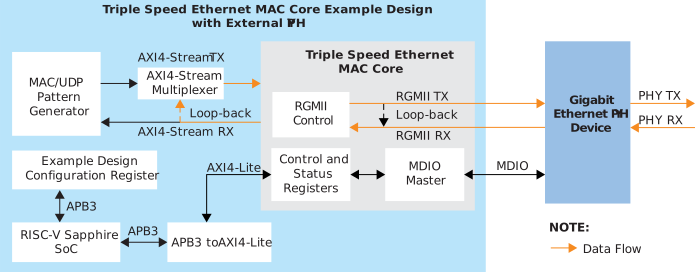
In Linked-Partner mode, the transmit packet are constructed and sent by an external network device, such as a PC or another Ethernet-enabled system. The AXI4-Stream loop-back is enabled in this mode, allowing the core to receive and re-transmit incoming packets directly through the enabled AXI4-Stream loop-back path without using the internal MAC or a UDP pattern generator.
This mode demonstrates the MAC RX or TX datapath integration with an external Ethernet partner and verifies successful bi-directional data transfer between the FPGA and a real network device.
The test is a 'PASS' when the following conditions are achieved:
aFramesTransmittedOKandaFramesReceivedOKcounters are equal.- The
ifInErrorscounter remains at0. - The packets captured using Wireshark match the packets transmitted by the external device.
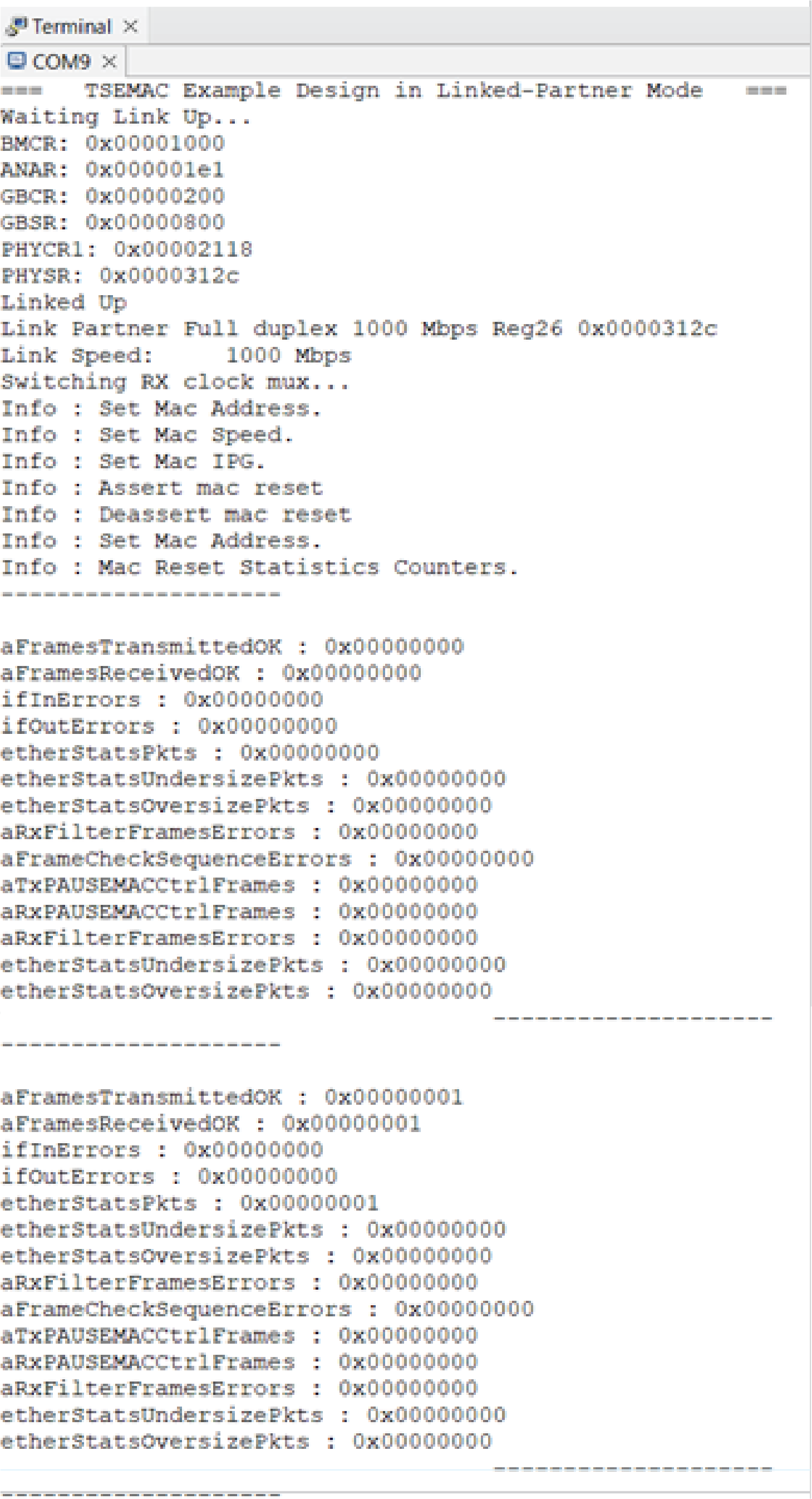
Note: You can use any terminal program (such as Putty, Termite, or the
built-in Eclipse Terminal to monitor the statistic counters -
aFramesTransmittedOK and ifOutErrors.