Debug - SMP
- smpDemo_softTap_mc.launch
- smpDemo_ti_mc.launch
- smpDemo_trion_mc.launch
If the *_mc.launch scripts are not generated in your Efinity RISC-V Embedded Software IDE, it is advisable to check whether
you have imported the correct Board Specific Package (BSP) specifically configured for
multiple cores.
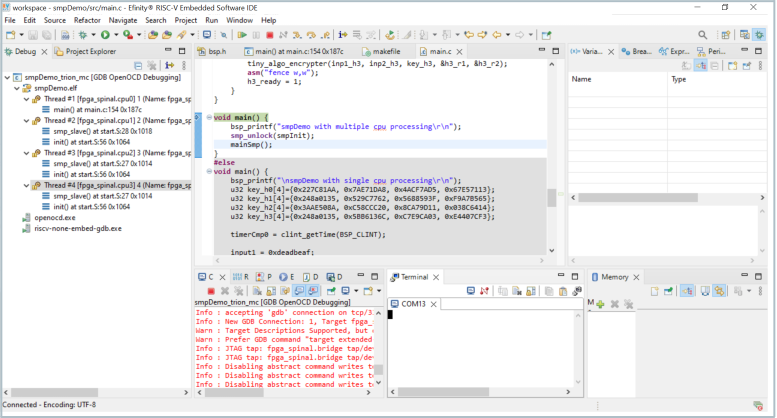
Launch *_mc.launch based on your hardware configuration; all the cores
are shown as threads in the Debug pane.
The Resume and suspend selection affect all the cores while Step Into, Step Over, and Step Return selections affect only the core you have selected by clicking on the thread.
The Breakpoint selection breaks all the cores that go through the specific instruction. If the core does not run the instruction, then the core will not be halted by the breakpoint.
-
To use the SMP debug, you must use both the Efinity RISC-V Embedded Software IDE v2023.1 and Standard debug interface.
-
By default, the smpDemo sets the
DEBUGto NO. Modify theDEBUGsetting in the project makefile and then rebuild the project.