Copy a User Binary to Flash ( Programmer)
To boot from a flash device, you need to copy the application binary to the flash. If you want to store the binary in the same flash device that holds the FPGA bitstream, you can simply combine the two files and download the combined file to the flash device with the Programmer.
- Open the Programmer.
- Click the Combine Multiple Image Files button.
- Choose .
- Enter a name for the combined file in Output File.
- Click the Add Image button. The Open Image File dialog box opens.
- Browse to the bitstream .hex file, select it, and click Open.
- Click the Add Image button a second time.
- Browse to the RISC-V application binary .bin file, select it, and click Open.
- Specify the Flash Address as follows:
File Address Bitstream 0x00000000 RISC-V application binary 0x00380000 Figure 1. Combining a Bitstream and RISC-V Application Binary 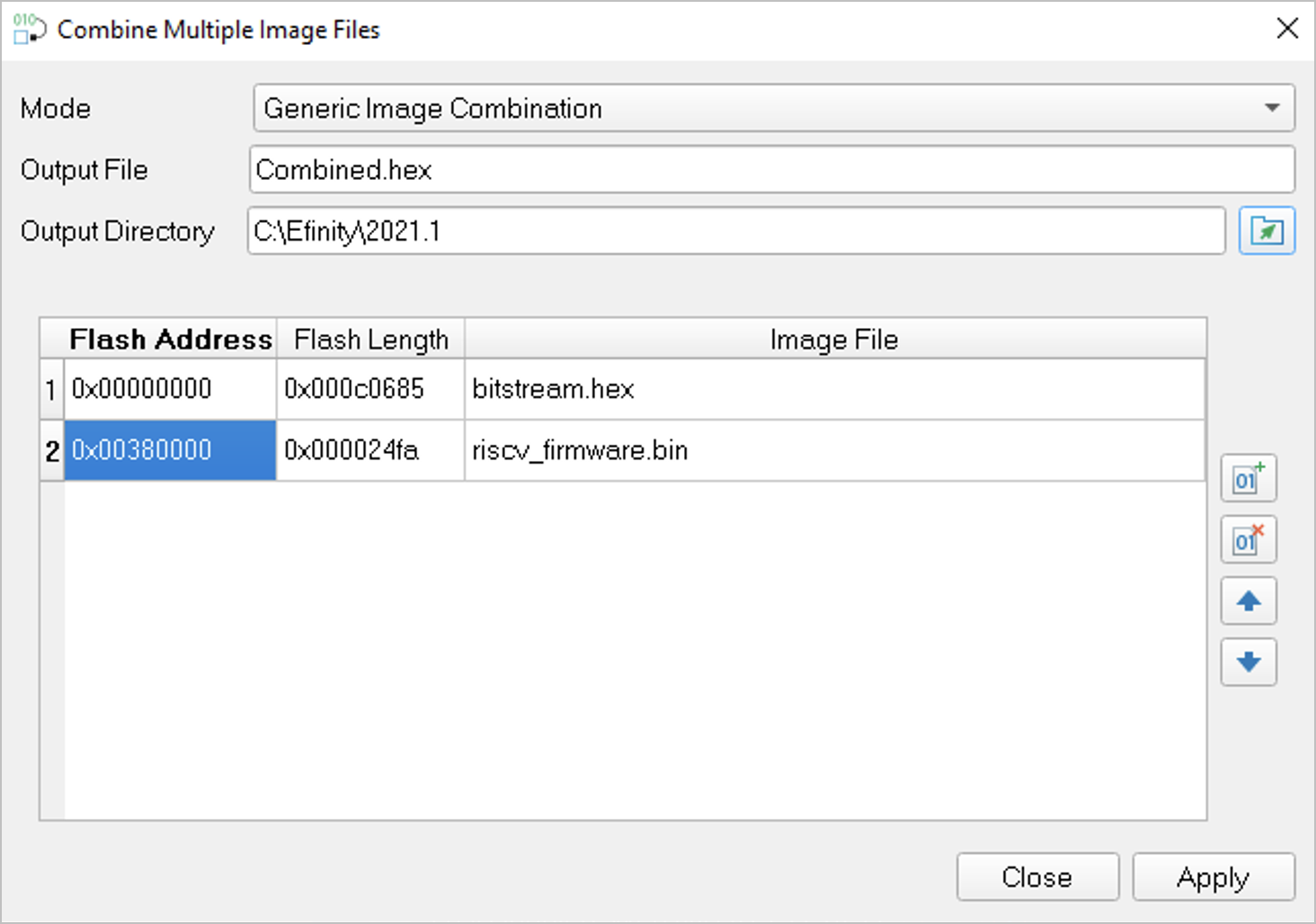
- Click Apply. The software creates the combined .hex file in the specified Output Directory (the default is the project outflow directory).
- Program the flash with the .hex file using .
- Reset the or power cycle the board.
Note: You can also use two terminals to copy the application binary to
flash. Refer to Appendix: Copy a User Binary to the Flash Device (2 Terminals).