Sapphire SoC IDE Backward Compatibility
The Efinity software v2022.2 and higher includes the Efinity RISC-V Embedded software IDE for developing RISC-V software applications. Previously, you developed software using the open-source RISC-V SDK. The IDE provides an enhanced environment for developing embedded applications, and Efinix recommends that all users switch to it. The IDE has these features and advantages:
- Optimized process for importing projects
- Eliminates redundant steps to import C/C++ Project Settings
- Simplifies the sample projects import process with tick boxes
- Automatically loads the correct C/C++ project settings for both standalone and FreeRTOS sample programs
- Ability to automate makefile generation for new project creation
- Integrated QEMU emulator for 32-bit RISC-V Core
- Bundled with project examples
- Allows you to debug without hardware
- Flexible workspace directory
- RISC-V IDE allows you to point to your project’s BSP and FreeRTOS Kernel
- Eliminates the need to copy the FreeRTOS Kernel folder to each project's directory, embedded_sw/<SoC module>/software
- Easier debug experience
- CSR Register View
- Peripheral Register View
- FreeRTOS Queue and Task List View
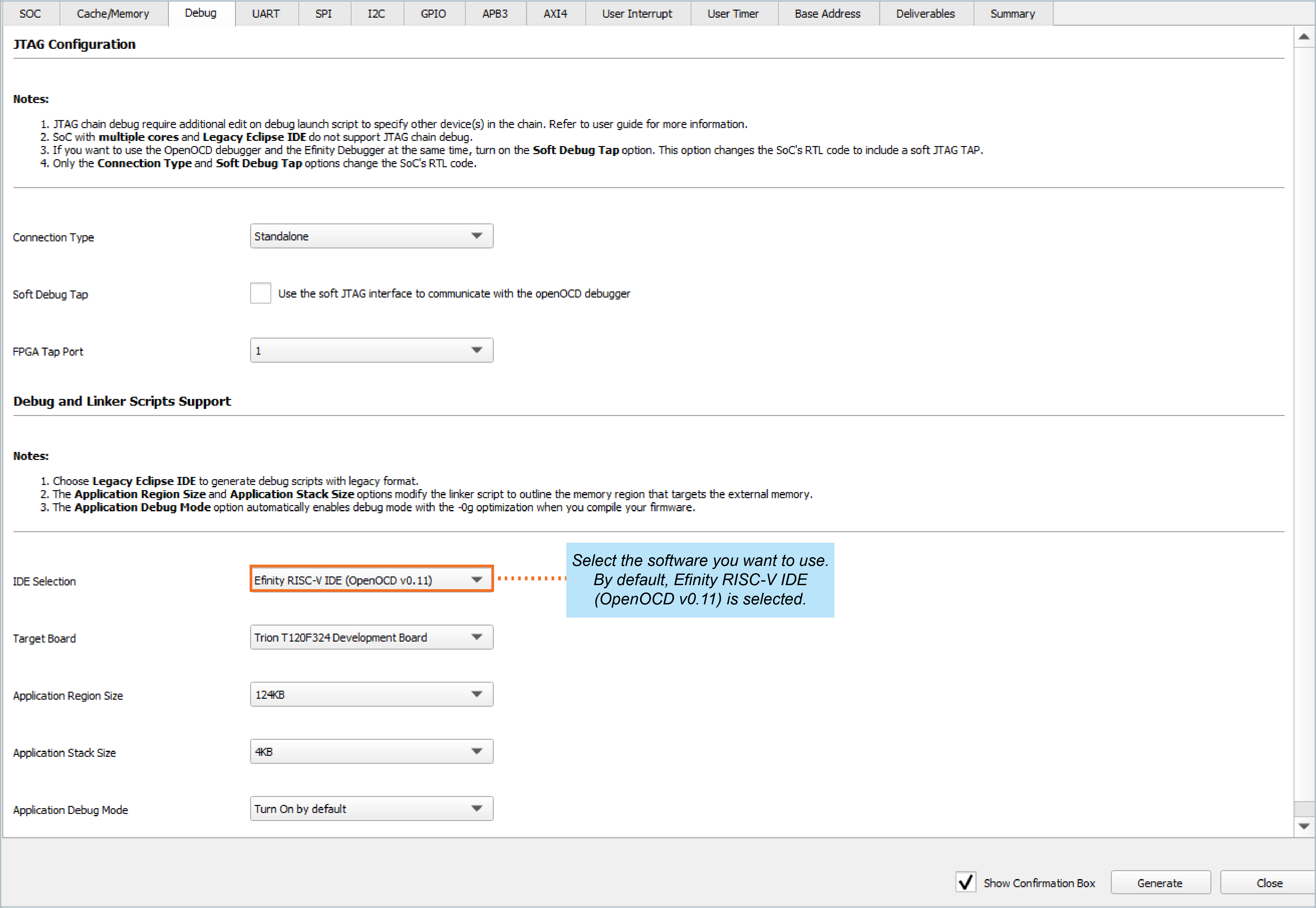
When you configure your SoC in the Efinity IP Manager, the IDE Selection parameter is provided in the Debug tab. If you intend to use the open-source Eclipse software in the RISC-V SDK, select the Legacy Eclipse IDE (OpenOCD v0.10) option. By default, Efinity RISC-V IDE (OpenOCD v0.11) is selected.