Concurrent Debugging with Multiple Devices
About this task
If you want to use more than one development kit, use the Launch Config Generator (LCG) that comes with the RISC-V Embedded software IDE to set up a configuration file. The file tells the openOCD daemon what targets to connect.
For the openOCD daemon to connect correctly, the targets cannot have the same
combination of VID, PID, and serial number. Follow these steps:
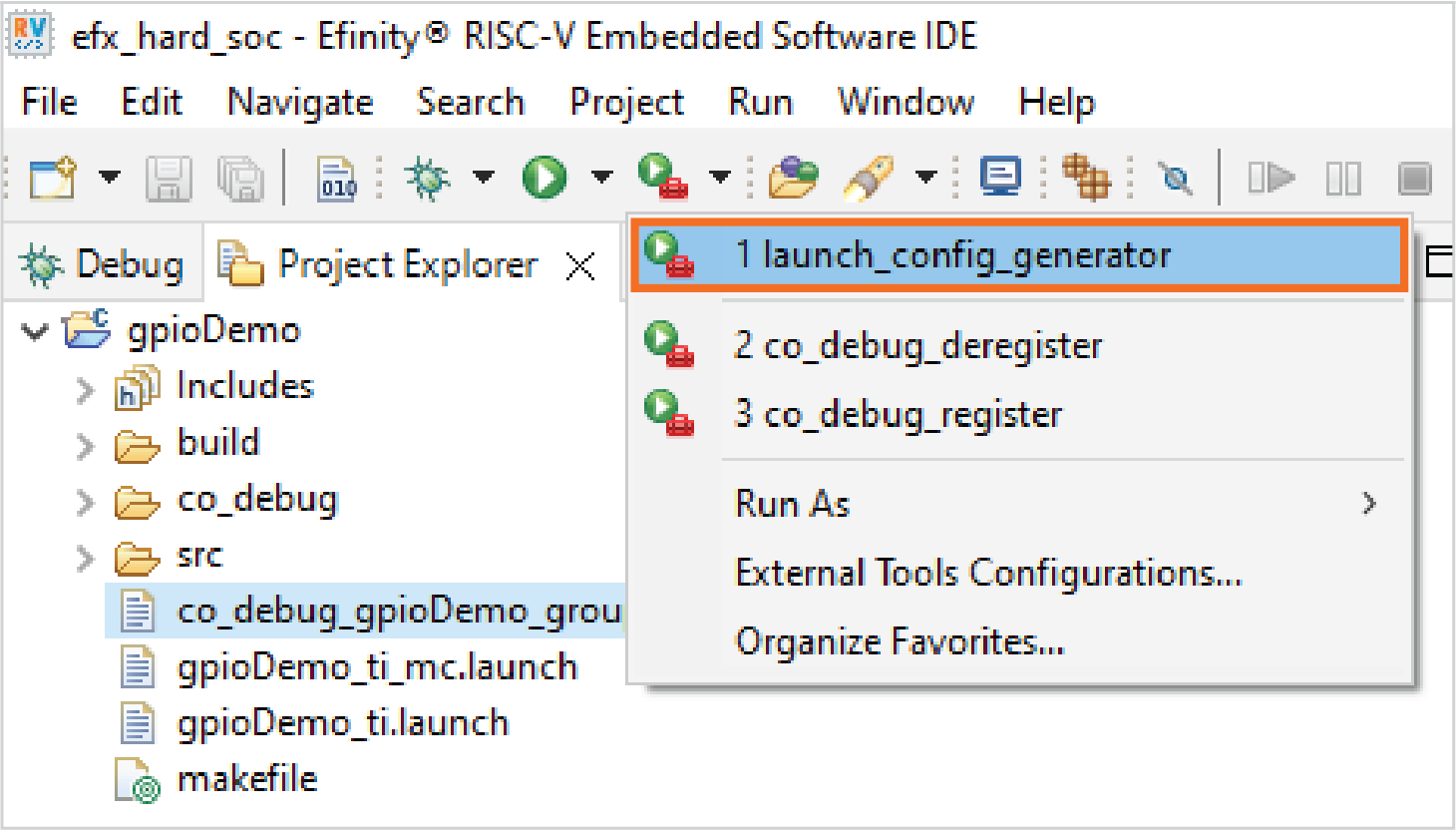
- Launch the Launch Config Generator through the External Programs.
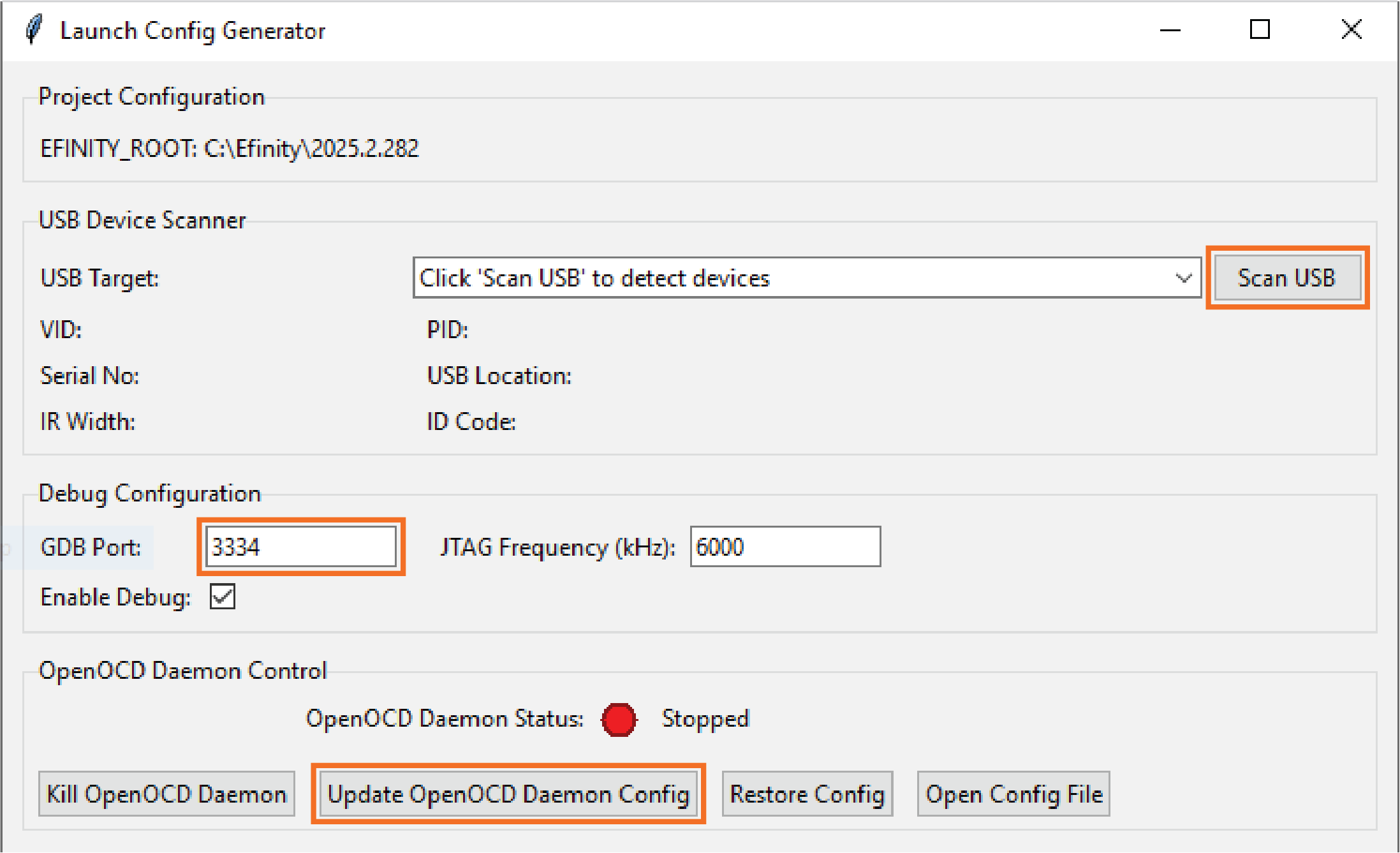
- Click Scan USB and select the target development kit from the dropdown box.
- Configure the GDB Port to a value other than the
default
3333, example,3334,3335, etc. Each target should have a unique GDB Port. - Click Update JTAG Daemon Config button. After the configuration is updated, you must delete and re-import all the projects to apply the new changes. Then, you can debug the RISC-V firmware as mentioned in previous sections.
Other features of the Launch Config Generator:
- Kill OpenOCD Daemon
- Terminates all openOCD Daemon and openOCD processes.
- Resets the debugging session to a clean slate.
- Restore Config
- Restores configuration file (jtag_daemon.cfg) to the default settings.