Debug - Single Core
About this task
By default, the OpenOCD debugger always targets the first core, core 0, when debugging. If your SoC has multiple cores, you can do standalone debugging with a core other than core 0. This debug method uses the openocdServer debug launch scripts, which are available in the software/standalone/openocdServer directory. The general procedure is:
Procedure
- Create an SoC with more than 1 core.
- Import your software project in Efinity RISC-V Embedded Software IDE.
- Import openocdServer project with with Existing Code.
-
Start the OpenOCD server.
- Right-click .
- Choose .
-
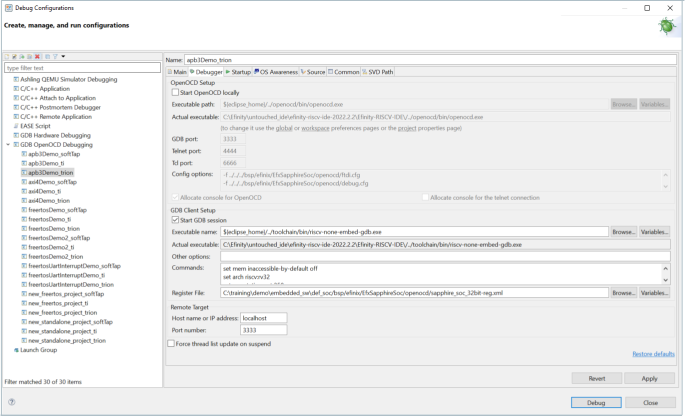
Modify the debug configuration for your application to use the OpenOCD
server:
- Click Debug. The RISC-V IDE enters into debug mode targeting the CPU that you specified with the port number.
Results