Disable Concurrent Debugging
About this task
To stop concurrent debugging, follow these steps:
- In RISC-V Embedded software IDE, click the
Perspective tab.
Figure 1. Open Perspective 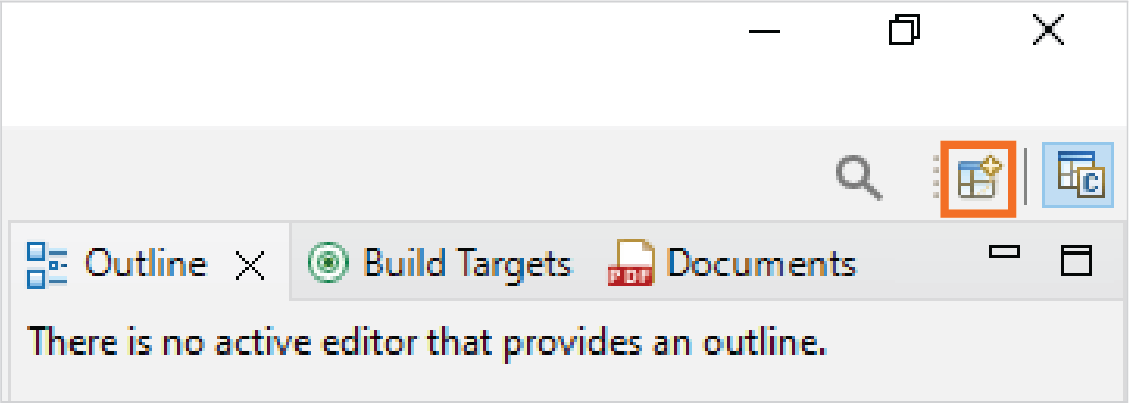
- Select Debug and click Open to
open the Debug Perspective.
Figure 2. Open Debug Perspective 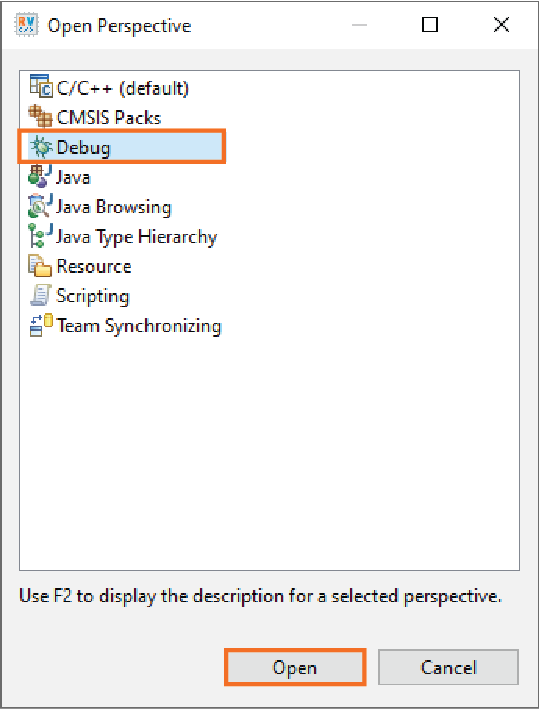
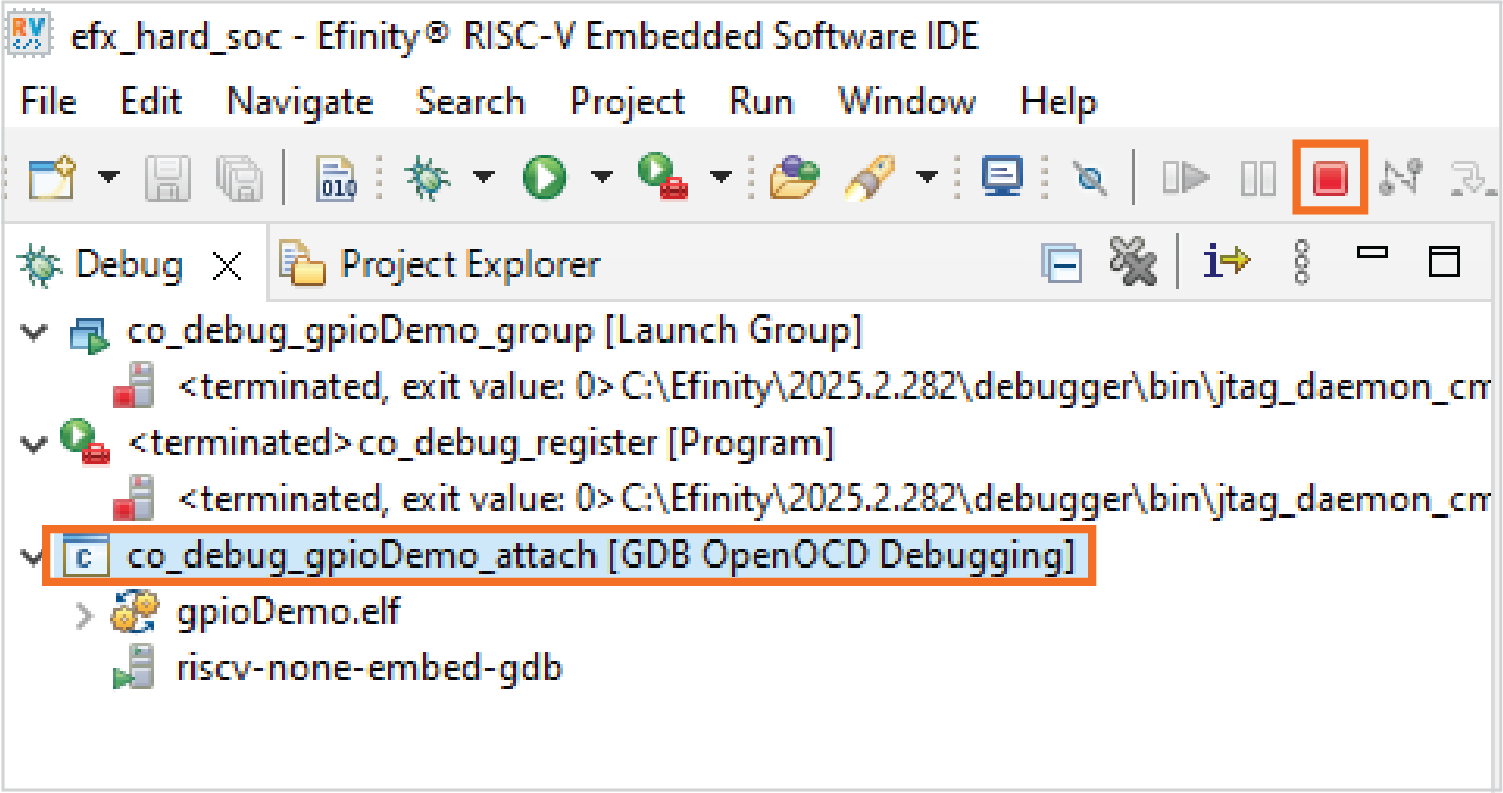
- Select GDB session and click Terminate button.
Figure 3. Select GDB Session and Terminate