Enabling the Macros in the Example Design
To enable macros for Efinity compilation.
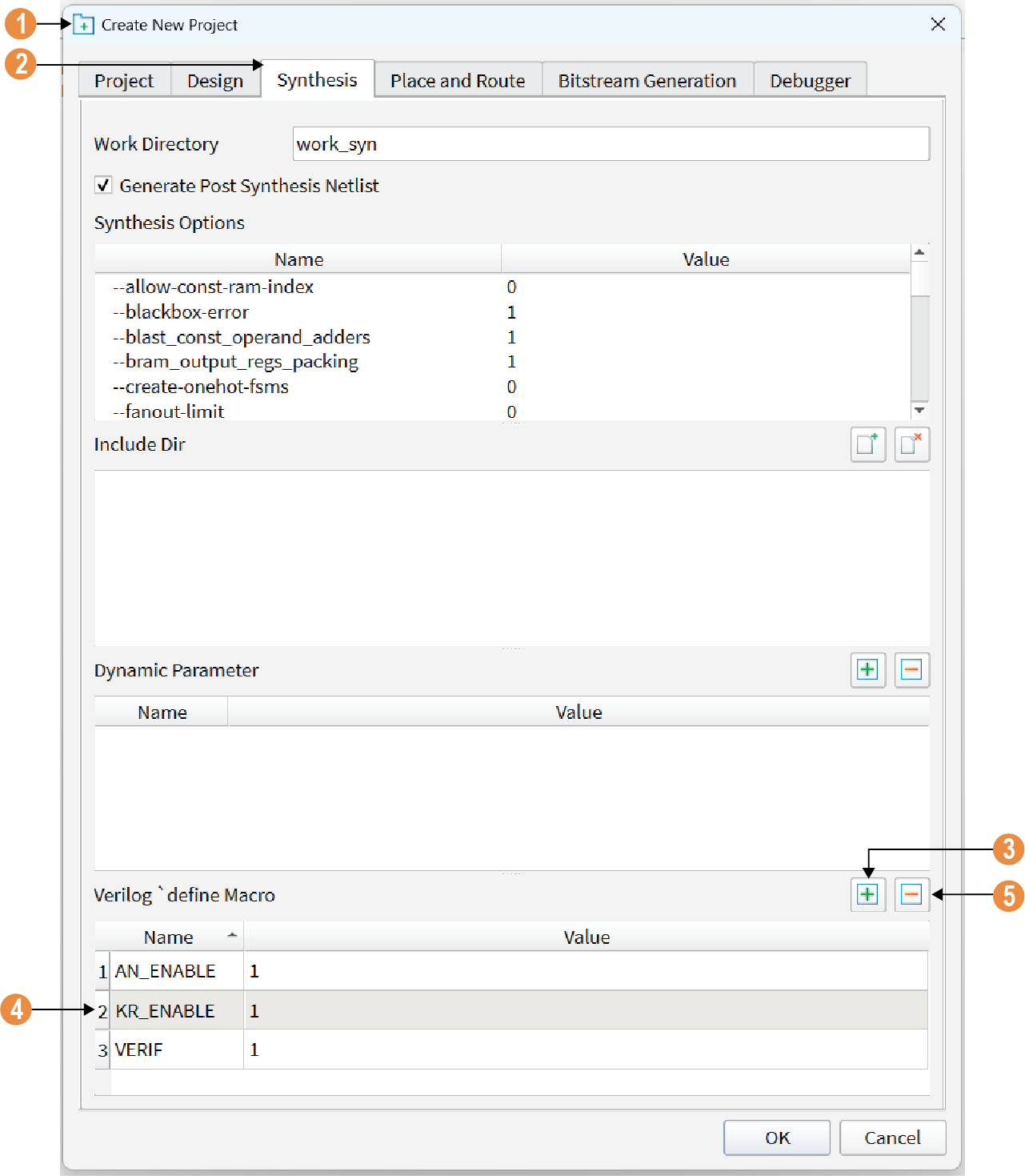
- In the active example design, go to . The Project Editor opens.
- Go to the Synthesis tab.
- At the Verilog define Macro section, click + to add new macros.
- Type in the name of the macro and set Value to
1.Note: When enabling the macros, always set the Value to 1. Setting the macro to a different value does not disable the macro.
- To disable a macro, you have to remove it from the Verilog define Macro section. To remove a macro, select the desired macro and click -.