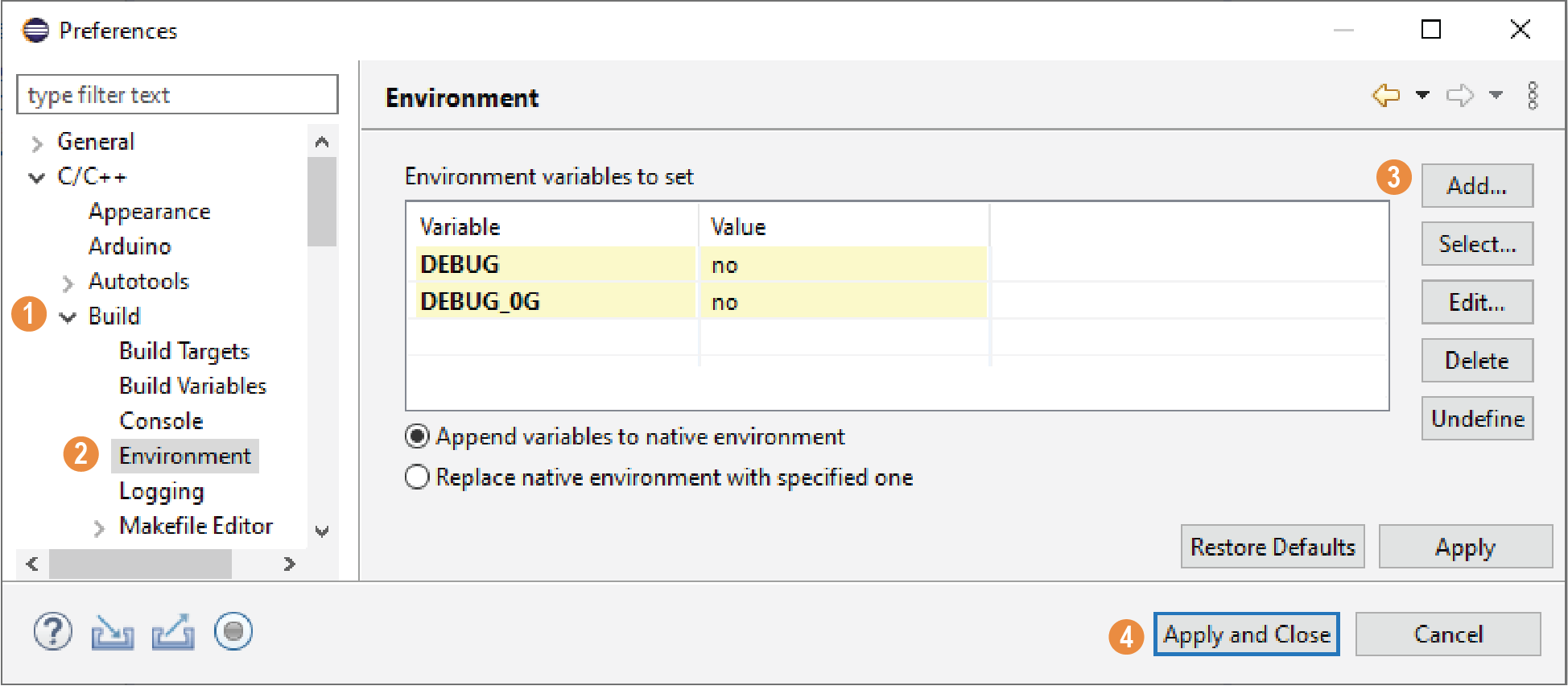
Set Global Environment Variables
About this task
OpenOCD uses two environment variables, DEBUG and
DEBUG_OG. It is simplest to set them as global environment
variables for all projects in your workspace. Then, you can adjust them as needed
for individual projects.
Note: When you configure the SoC in the IP Manager, you can choose
whether to turn on debug mode by default or not. When you generate the SoC, the
setting is saved in the
/embedded_sw/bsp/efinix/EfxSapphireSoc/include/soc.mk file.
If you want to change the debug mode, you can change the setting in the IP
Configuration wizard and re-generate the SoC, or use the following instructions to
add the variables to your project and change them there.
Choose to open the Preferences window and perform the following steps.