Enable Watchpoint in IP Configuration
About this task
Before using watchpoints in the IDE, you must enable the Hardware Breakpoint option in the Sapphire SoC IP Configuration.
To enable hardware watchpoints:
- Open the Sapphire RV64 SoC IP Configuration window.
- Click on the Debug tab.
- In the Hardware Breakpoint setting, choose the number of hardware breakpoints required.
- Click Generate to regenerate the SoC.
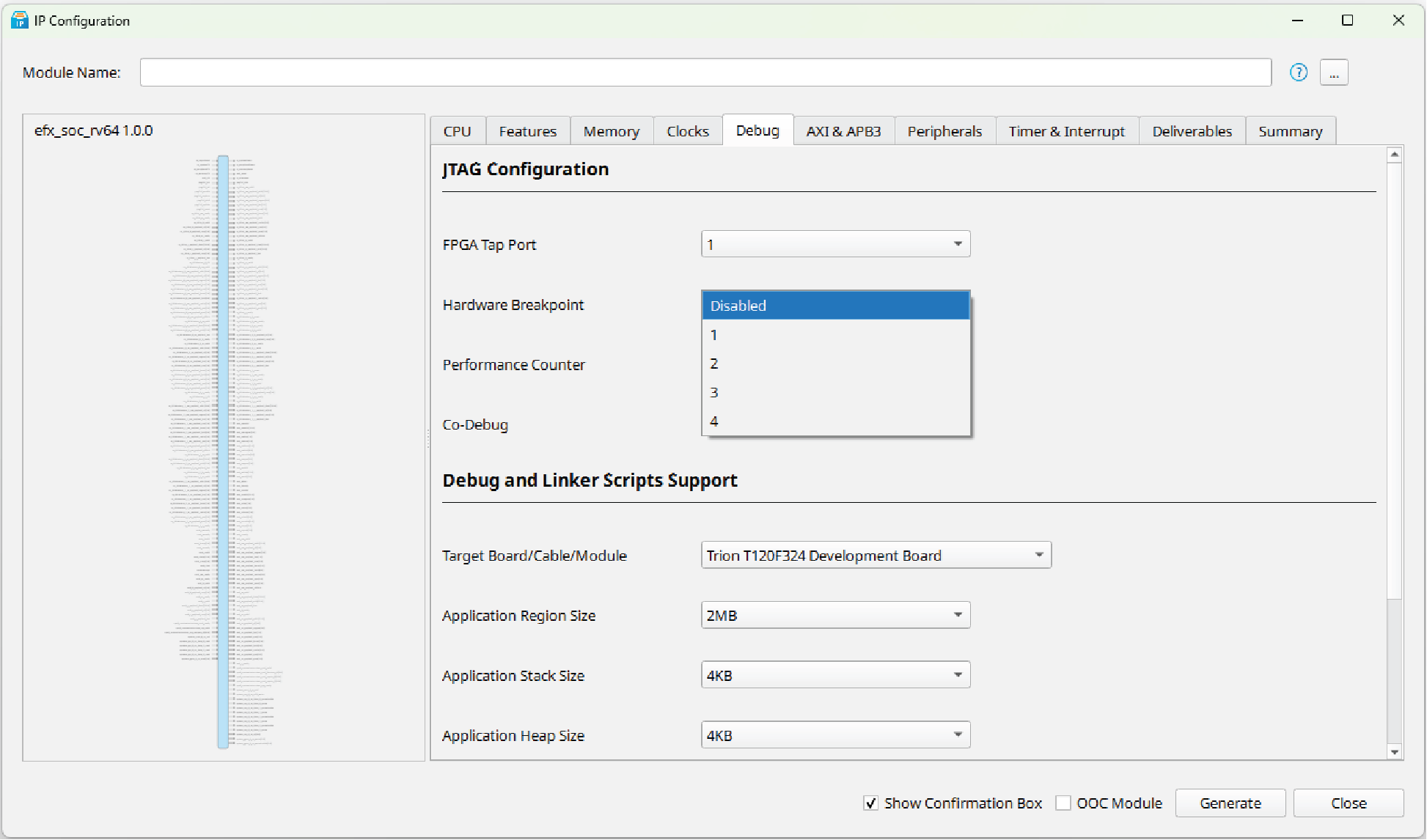
By default, the Hardware Breakpoint option is set to
Disabled. The supported values are:
- Disabled
- 1
- 2
- 3
- 4