Introduction
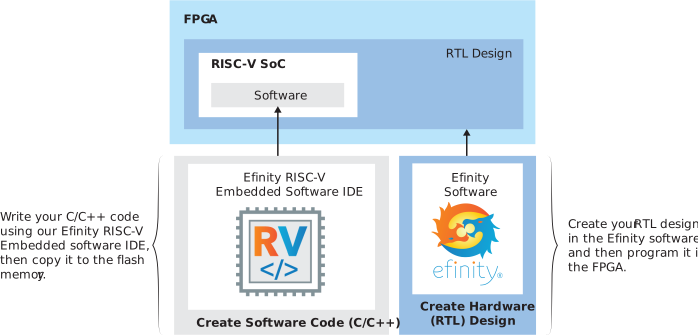
Efinix provides a soft configurable RISC-V SoC, called Sapphire RV32, that you
can implement in Trion® or Titanium
FPGAs. This user guide describes how to:
- Build RTL designs using the Sapphire RV32 SoC using an example design targeting an Efinix® development board, and how to extend the example for your own application.
- Set up the software development environment using an example project, create your own software based on example projects, and use the API.
Note: The Sapphire RV32 SoC v2.0, released with the Efinity software v2021.2, has significant
improvements from previous versions, and you cannot migrate an existing design to it
automatically. Efinix recommends that you
use v2.0 or higher for all new designs. You can continue to use previous versions with
the Efinity software v2021.1. If you want to
migrate an existing design to v2.0, refer to Migrating to the Sapphire RV32 SoC v2.0 from a Previous Version.
Notice:
- Refer to the Sapphire RV32 SoC Data Sheet for detailed specifications on the SoC.
- Refer to the Efinity RISC-V Embedded Software IDE User Guide for information on the IDE software.