Clean and Build Project
About this task
Starting from Efinity® RISC-V Embedded Software IDE v2026.1, the IDE provides a Clean and Build Project function that combines both operations into a single step.
This feature first removes all previously generated build files and then rebuilds the entire project automatically. Using this function ensures that all source files are recompiled with the latest project settings and source changes.
You can invoke Clean and Build Project in these ways:
- Right-click on the project name in the .
- Select the project name, then choose from the menu bar.
- Select the project name and press F7 on the keyboard.
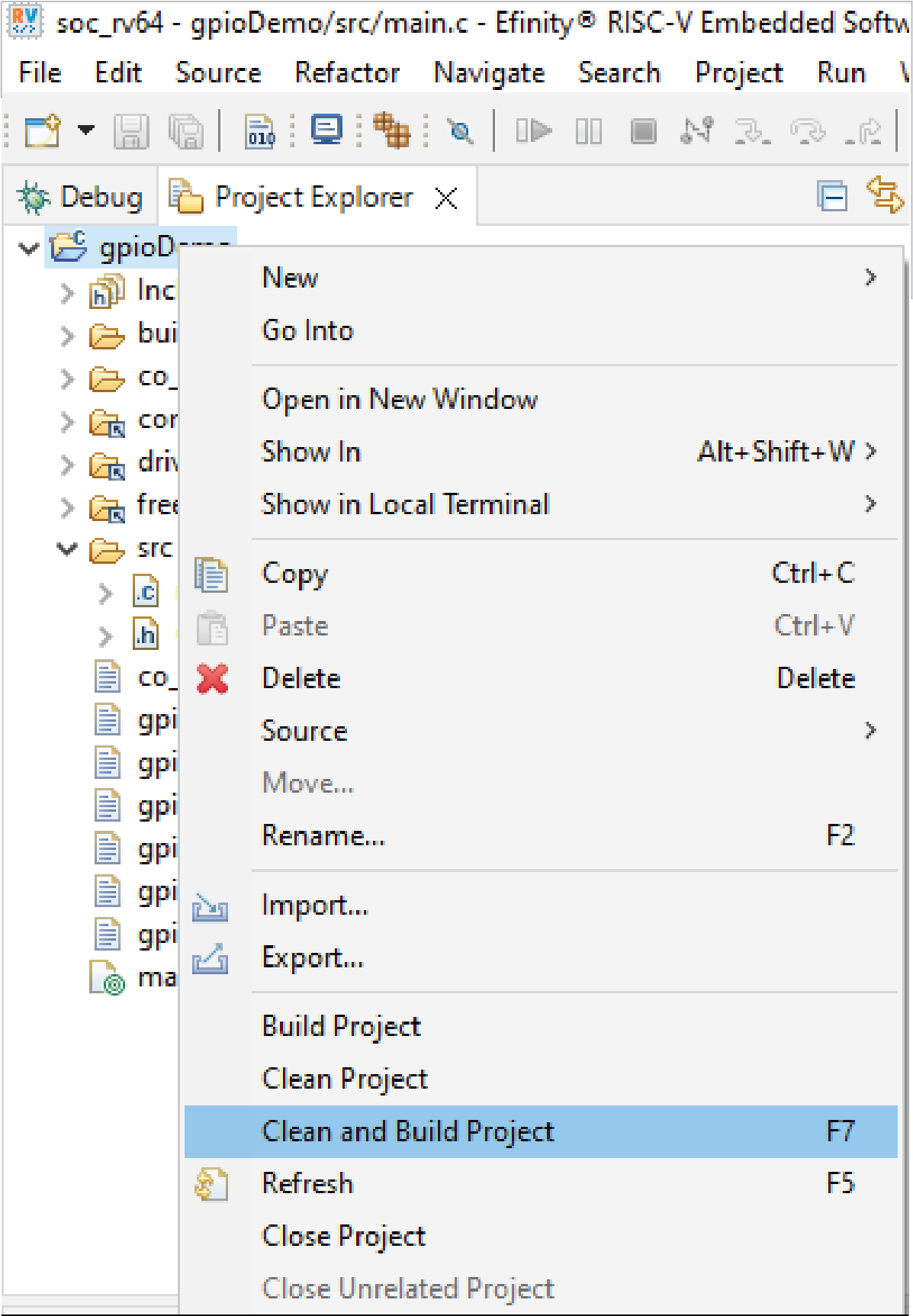
After the operation starts, the IDE automatically:
- Cleans the existing build output.
- Rebuilds the entire project.
- Updates the generated output files in the build directory.
The compilation and build status are displayed in the Console window.