

Efinity Software


Simple, Easy-to-Use Toolflow

Free license now available!

The Efinity® software provides a complete RTL-to-bitstream flow. With a simple, easy to use GUI interface and command-line scripting support, the software provides the tools you need to build designs for Titanium, Topaz and Trion® FPGAs. The software runs on the Windows, Ubuntu, and Red Hat Enterprise operating systems.

Software Highlights

Project Editor icon

Projects

Project management to keep your design files organized

Dashboard icon

Dashboard

Easy-to-use dashboard to run the tool flow automatically or manually

Interface Designer icon

Language Support

Verilog HDL, SystemVerilog, and VHDL

Interface Designer icon

Interface Designer

Constrain logic and assign pins to blocks in the device periphery

IP Manager icon

IP Manager

Configure and add buildling blocks to your project

Floorplan Viewer icon

Floorplan Viewer

Browse through your design's logic and routing placement

Netlist Viewer icon

Netlist Viewer

Displays and analyzes your design's netlist

Timing Browser icon

Timing Browser

Browse timing and perform static timing analysis

Simulation icon

Simulation

Supports simulation flows using the ModelSim, NCSim, Aldec, or free iVerilog simulators

BRAM Updater icon

BRAM Initial
Content Updater

Update initial BRAM without performing a full compile

Python icon

Python API

Use scripts to build your design's interface

Package Planner icon

Package Planner

Assign logic to package pins and view the pinout graphically

Hardware Debugger icon

Hardware Debugger

Integrated hardware Debugger with Logic Analyzer and Virtual I/O debug cores
Programmer icon

Programmer

GUI and command-line Programmer to configure your FPGA

Partition Planner

Partition Planner

Supports team-based design flows

Bitstream Authentican and Encryption icon

Bitstream Authentication and Encryption

Sign and/or encrypt bitstreams
Download the Efinity Software - FREE

Efinix provides FREE licenses for the Efinity software. Alternatively, when you buy a development kit, you also get a software license and one year of upgrades. After the first year you can request a free maintenance renewal. The version you get is not a watered down web edition, it supports all of our FPGAs. For an entry-level board, try the Xyloni development kit, which you can buy online from DigiKey.

To get a free license, register for our Support Center. Then click the Efinity page to request a free license. You will receive the license plus 1 year of maintenance (upgrades and patches) for 1 year. You can request another year of maintenance for free at any time.


New in v2026.1

The Efinity software v2026.1 has the following new features and enhancements:

  • Introduces support for Ti125 and Ti95 devices:
    • Supports enhanced I/O performance and power with the HSIO2 pins
    • Up to 2.5 Gbps MIPI RX/TX performance, and significantly lower power consumption for MIPI HS-RX (compared to HSIO)
    • Up to 1.8 Gbps LVDS RX/TX performance
    • All devices now require only 8 GB of memory
    • New PHY periphery clock network and distributed clock modifier (CM) resources optimize usage of PLLs and core clock network resources, provide easier peripheral clock skew management, and support higher performance
  • New device and package combinations include:
    • Ti125 and Ti95 in F225 packages, supporting easy migration from existing Ti60 and Ti35 F225 designs
    • Ti125M225S4F4, with in-package SPI flash memory and two HyperRAM devices in a small package footprint
    • Ti125 and Ti95 in F324 packages, with more HSIO2, HSIO, HVIO pins
  • Enables bitstreams for the following devices:
    • Ti135N576, Ti85N576
    • Tz100N576, Tz75N576
  • Reduces place and route compile times by about ~30%
  • Significantly improves responsiveness of the Efinity Floorplan Viewer and Console
  • Improves Python toolkit with efx_py Python tool that lets you create and modify projects with Python scripting
  • Adds Automated Option Explorer (AOE) scripting tool efx_run_aoe.py
    • Explore synthesis and placement compiler options
    • Search for combinations that achieve the highest fMAX across system clocks
  • Adds GUI Console customization options; limit, filter, or suppress compiler messages
  • Allows multiple Interface Designer project files to exist in an Efinity project directory
  • Adds a smart bit-generator compiler shortcut to the Interface Designer to generate a new bitstream quickly when changes to do not require re-running place-and route
  • Adds dark theme option to Efinity GUI
  • Introduces beta support for design partitions:
    • Using the Efinity Partition Planner, users can preserve and export/import synthesis, placement, and routing results of design instances within bounded rectangular partitions in the core fabric
    • Using partitions can ease integration of validated design components into a single FPGA design, and works well with team-based design and incremental compile flows

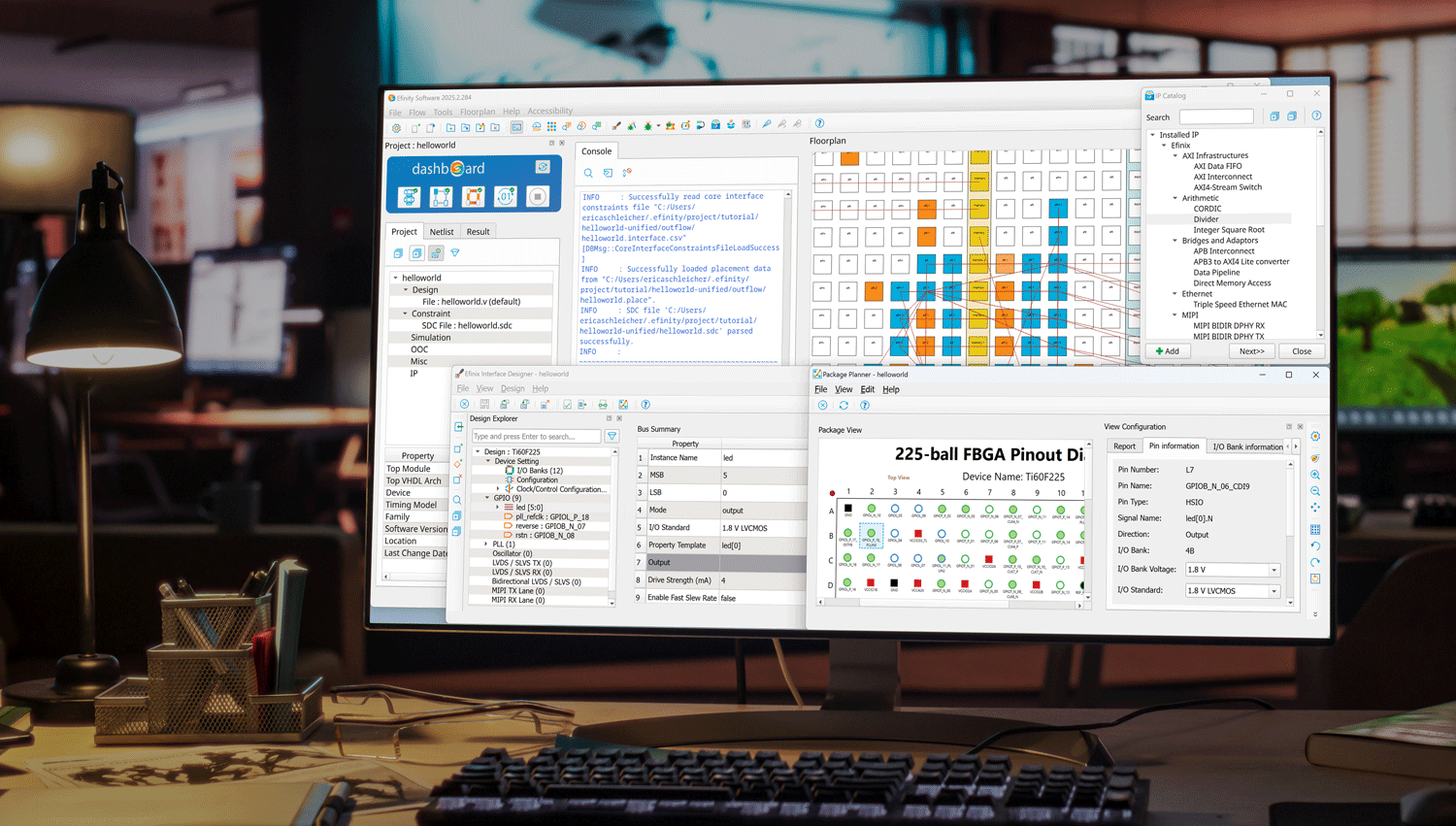
Efinity Software Interface

Efinity Software

Resources

Efinity Software Tutorials

Efinity Software Overview

Using the Efinity Debug Wizard

Instantiate a Debug Core Manually

Create a Sapphire SoC


The following videos walk you through how to use the Efinity Interface Designer.


Interface Designer Overview

Creating GPIO Blocks in the Interface Designer

How to Create LVDS Blocks


How to Create Simple PLL Blocks

How to Create Advanced PLL Blocks

How to Create MIPI Blocks

How to Create DDR DRAM Blocks